 Posted by
 MovieSherlock Pro 6.3.6 for macOS

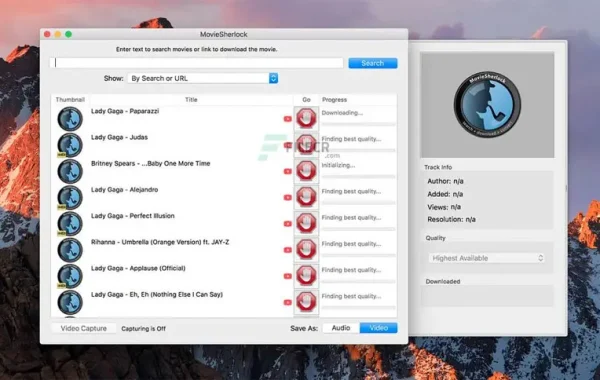
MovieSherlock is an all-in-one YouTube downloader and converter. It allows you to search, download, and convert YouTube movies. MovieSherlock lets you download videos fast, smoothly, and with no quality loss what’s so ever! MovieSherlock is just the best way to get videos to your Mac.
Overview of MovieSherlock Pro 6
It is an all-in-one YouTube downloader and converter. It allows you to search, download, and convert YouTube movies. It lets you download videos fast, smoothly, and with no quality loss whatsoever! It is just the best way to get videos onto your Mac.
It allows you to download any video from YouTube and convert it on your Mac into a high-quality MP4 video playable on iTunes or your favorite video player.
Features of MovieSherlock Pro 6
- Save as MP4 and MP3: downloaded videos will be automatically converted.
- YouTube, Vimeo, DailyMotion, and thousands of websites support
- Fast download: 15x faster than real-time!
- iTunes integration: The add to iTunes feature allows copying downloaded video and music to your devices such as the iPhone, iPad, iPod, etc.
- Download videos with subtitles from YouTube and DailyMotion.
- Correct file naming: The downloaded videos will retain the original names from the source web pages
- Native video format: If you get the video with MovieSherlock, be sure you can play it.
How to Install MovieSherlock Pro
Follow these steps to install MovieSherlock Pro on your Mac safely:
1. Visit the Official MovieSherlock Website
-
Open your browser.
-
Go to the official MovieSherlock website.
(Important: Avoid unofficial sites to prevent malware or fake installers.)
2. Download the MovieSherlock Pro Installer
-
On the website, click Download or Get MovieSherlock Pro.
-
Choose the Mac version.
-
The installer file (usually) will begin downloading.
3. Open the DMG Installer
-
Go to your Downloads folder.
-
Double-click the MovieSherlock.dmg file.
-
A window will appear showing the app icon.
4. Drag MovieSherlock to Applications
-
Drag the MovieSherlock Pro icon into the Applications folder.
-
This installs the application onto your Mac.
5. Launch MovieSherlock Pro
-
Open your Applications folder.
-
Find MovieSherlock Pro and double-click it.
6. Allow Security Permissions (If Needed)
-
If you see a message like “App cannot be opened because it is from an unidentified developer”:
-
Go to System Settings → Privacy & Security.
-
Scroll until you see “Allow Anyway” next to MovieSherlock.
-
Click Allow, then launch the app again.
-
7. Enter Your License (If Purchased)
-
When prompted, enter your valid Pro license key from your purchase.
-
This unlocks all MovieSherlock Pro features.
Click Here To Download Link